Modern Connectivity for Classic Instrumentation
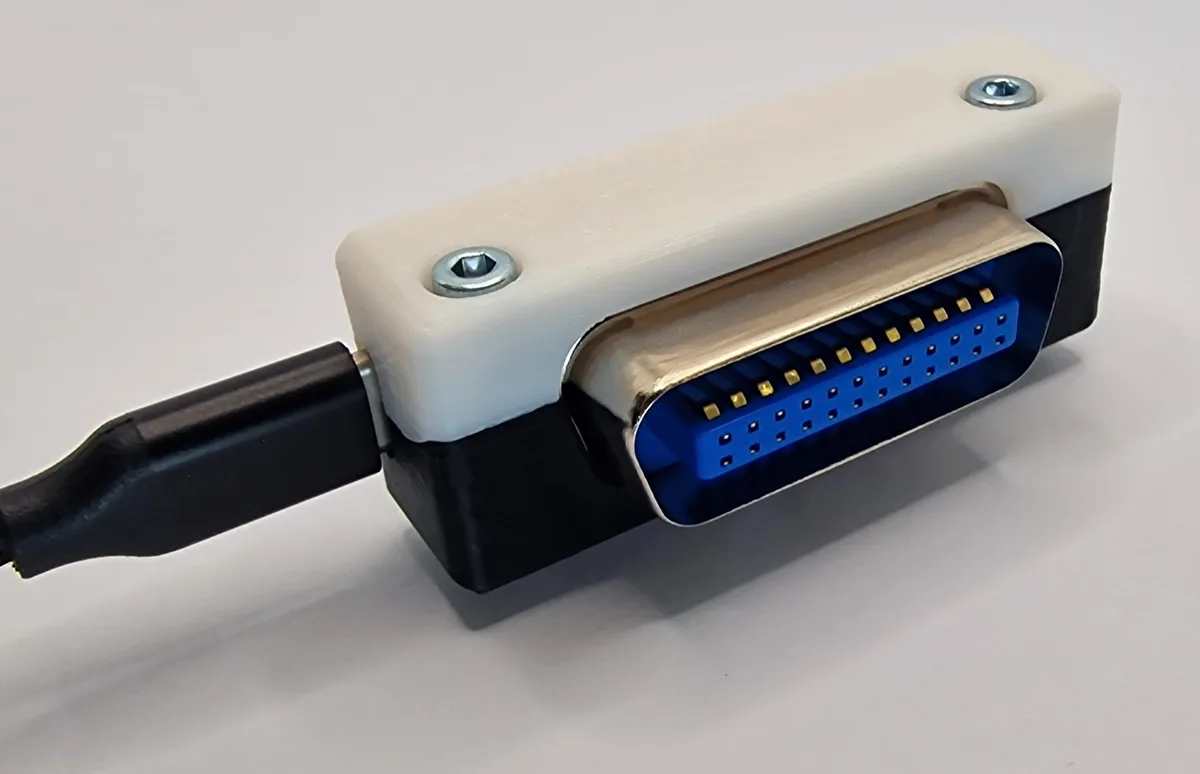
Product Overview
Modern USBTMC Connectivity for Legacy GPIB Instruments - Reliable, Compact, Compatible, Open-Source and Future‑Proof.
Front View
Compact design with USB-C connector and GPIB interface

Side View
Ultra-slim 1.5cm profile for space-efficient installation

Back View
Standard GPIB connector for universal compatibility
- Modern USBTMC Connectivity: Converts legacy GPIB instruments into standard USB test devices with full IEEE-488.2 support
- Compact & Practical: Slim 1.5 cm depth and thin USB cabling reduce clutter and free up workspace
- Seamless Integration: Works with all VISA providers (NI, R&S, Keysight) and tools like LabVIEW, PyVISA, PyVISA-py
- Reliable & Future-Proof: German-engineered, extensively tested across decades of instruments, with upgradable firmware and active maintenance
Key Advantages
Why USBGpib V2 is the superior choice for modernizing your GPIB instruments
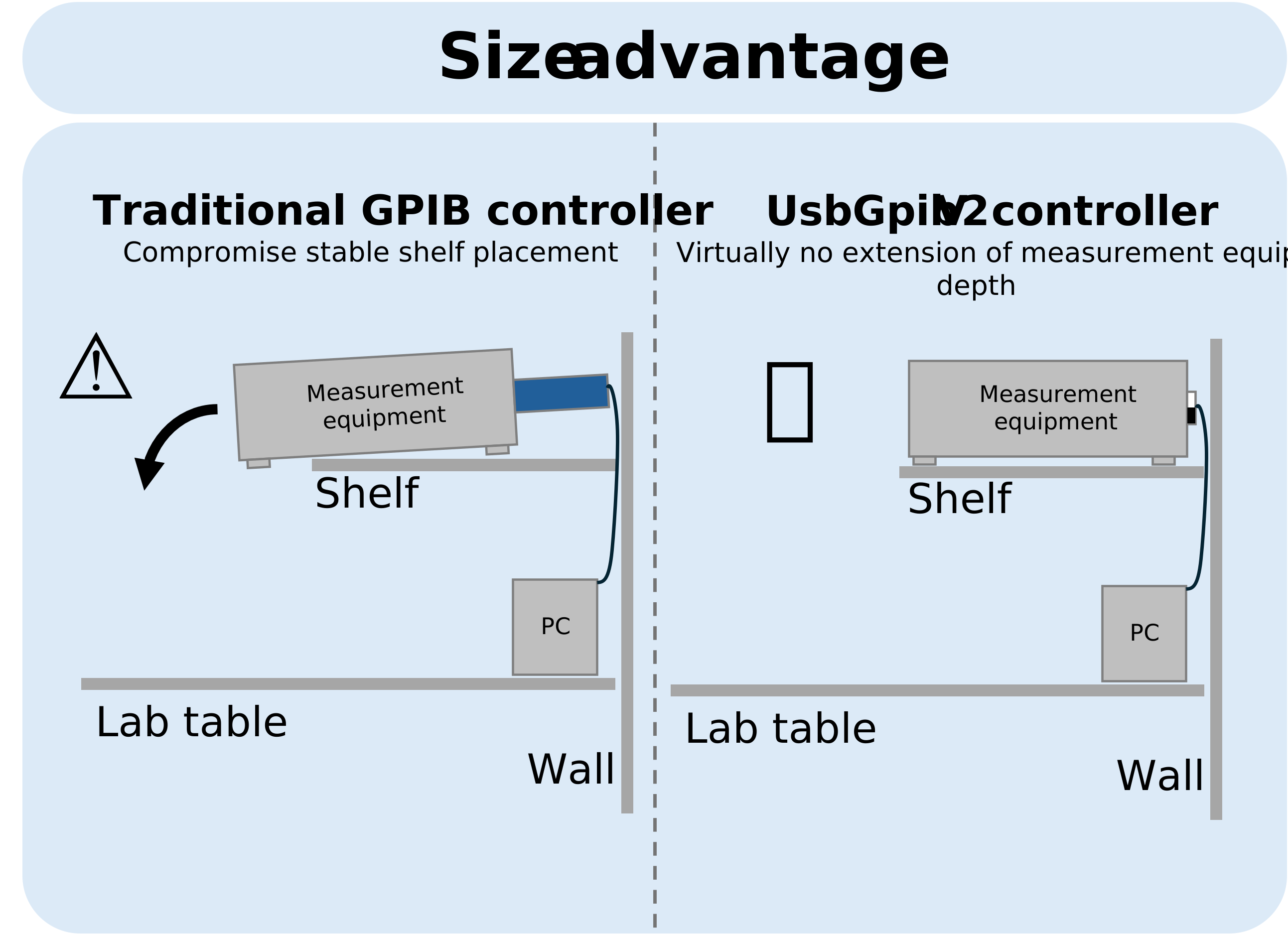
Slim Design
Minimal depth of just 1.5 cm ensures that instruments can be positioned closer to walls or rack panels, maximizing workspace efficiency.
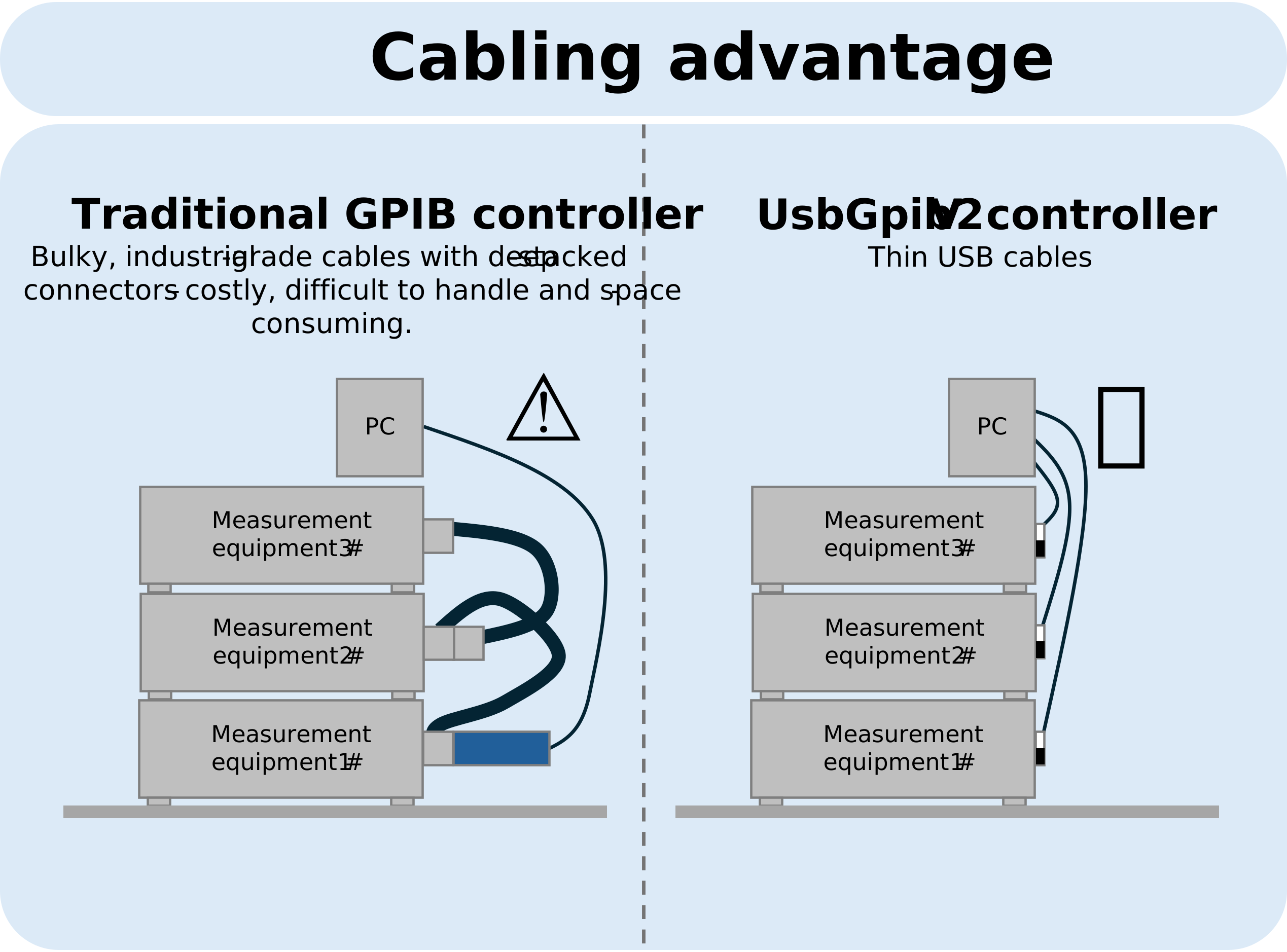
Thin USB Cables
Unlike traditional "garden hose" GPIB cables, the UsbGpib V2 uses standard thin USB cables, dramatically reducing clutter and improving portability on the bench.
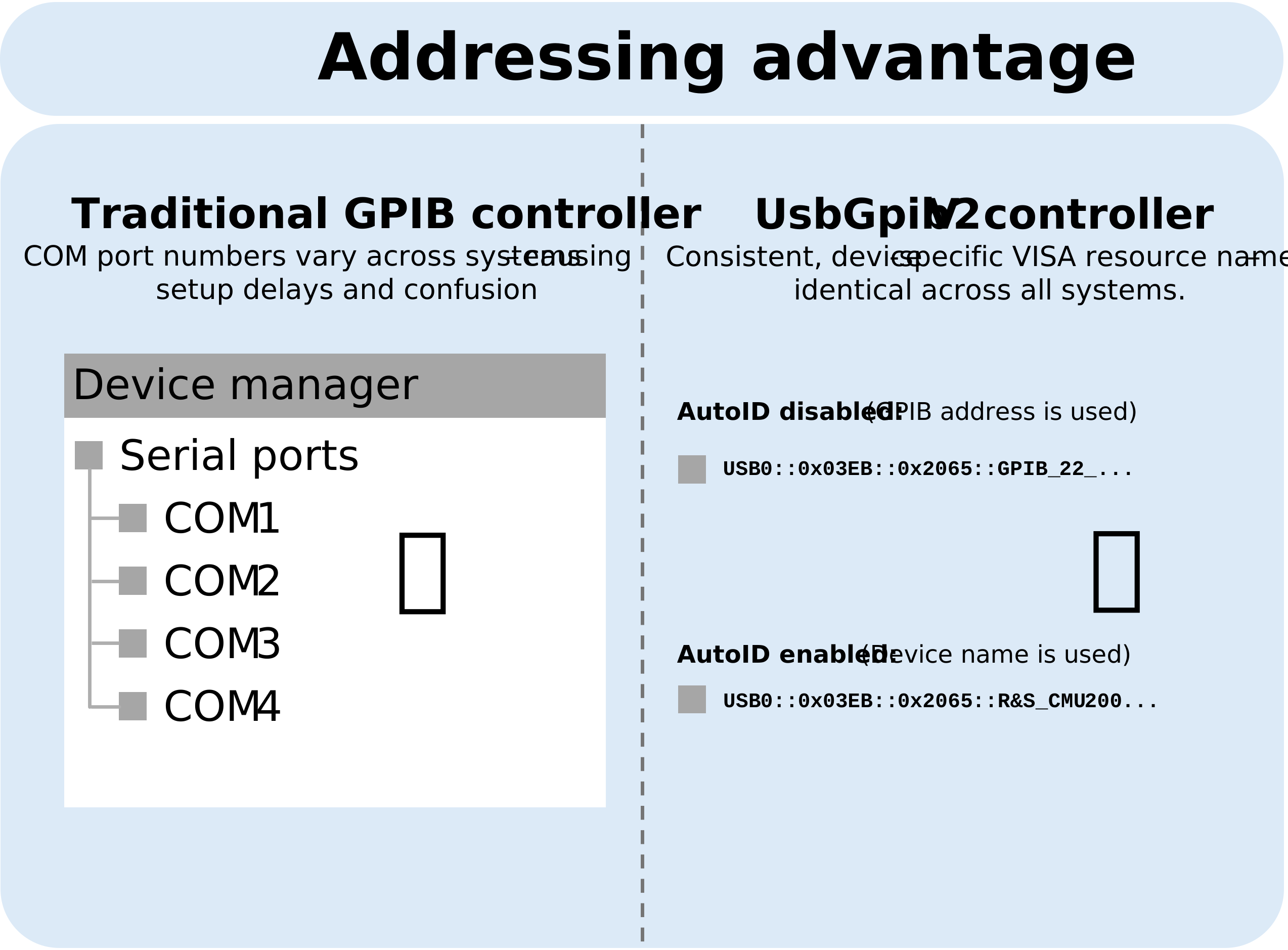
Multi-Adapter Support
Each adapter includes a unique identifier, allowing multiple UsbGpib V2 units to be connected and operated reliably on the same PC.
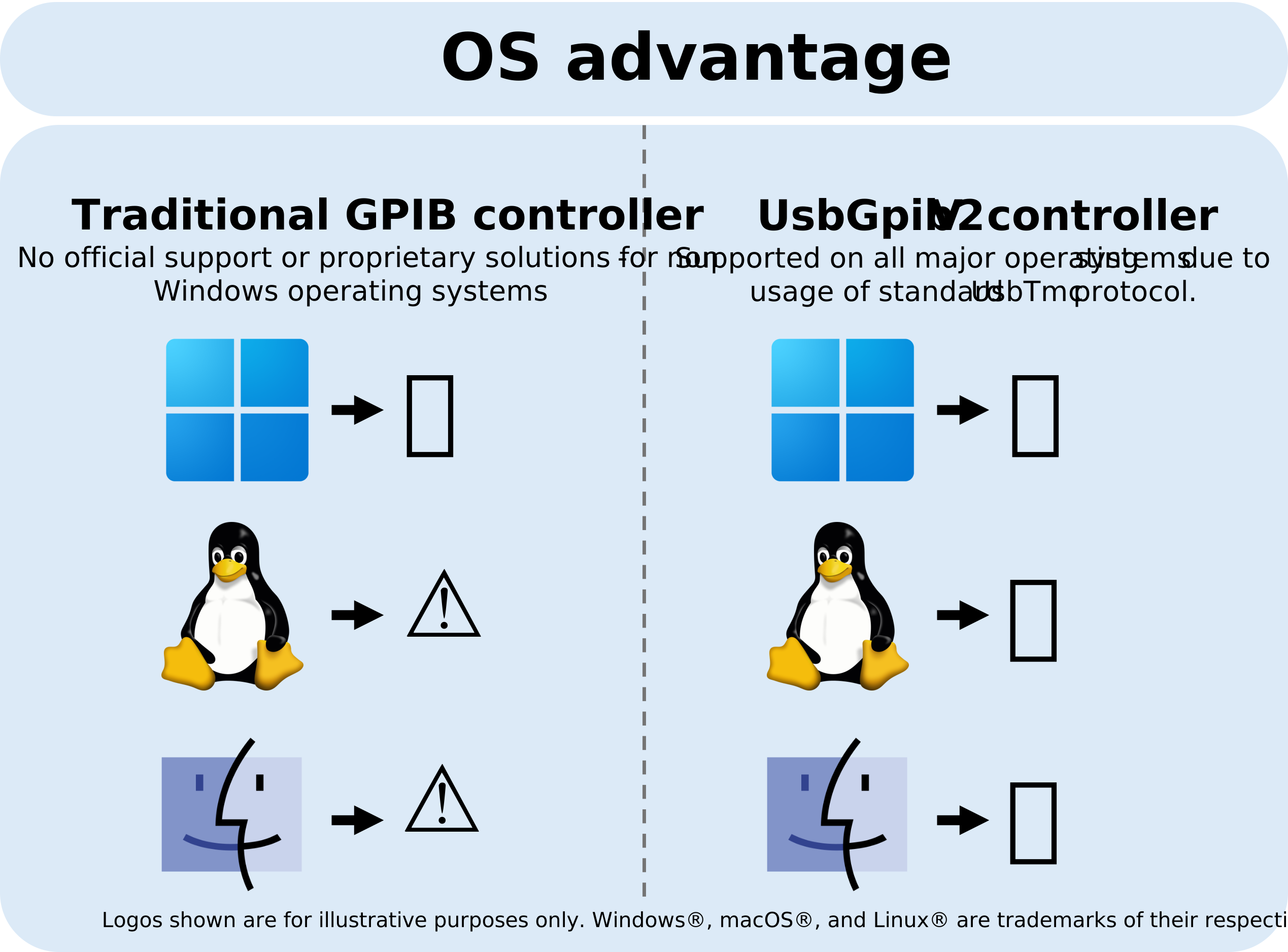
Cross-Platform Support
Supported across all major operating systems - Windows, macOS, FreeBSD, and Linux - ensuring broad compatibility without custom drivers.
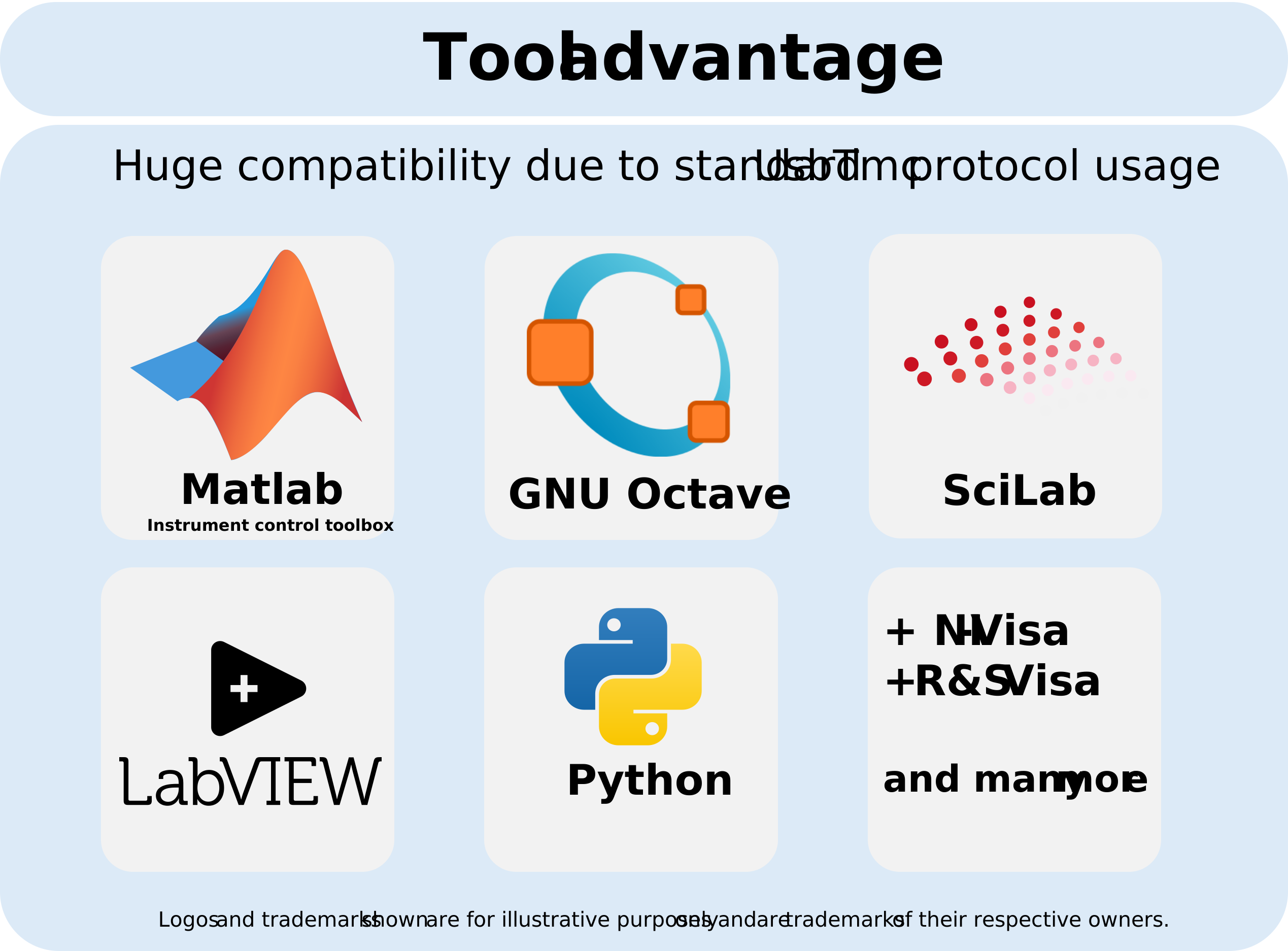
Industry-Standard Tools
Integrates smoothly with LabVIEW, PyVISA, and MATLAB, making it a drop-in solution for both established and modern measurement software stacks.
Transparent Operation
With full USBTMC class compliance, the adapter transforms any GPIB instrument to operate seamlessly like modern USB-based measurement equipment.
Complete Feature Set
Professional-grade performance designed for laboratories, automated test environments, and personal users
- Modern Connectivity: Bridges USB and IEEE-488 (GPIB) with full USBTMC protocol compliance
- Slim Design: Minimal depth of just 1.5 cm allows instruments to be placed closer to walls or rack panels
- Cable Efficiency: Uses thin USB cables instead of bulky "garden hose" GPIB cables, reducing clutter and improving portability
- Multi-Adapter Support: Unique identifier per unit enables multiple adapters to be connected and operated reliably on the same PC
- No COM Ports: Avoids serial port mapping issues; Each adapter is consistently accessible with the same name across multiple PCs
- Transparent Operation: Behaves like a modern USB measurement device, including proper USB port deactivation when the instrument is powered off
- Controller Role: Optimized as a dedicated GPIB controller for one instrument per adapter, ensuring robust one-to-one communication
- Standards Compliance: Implements full IEEE-488.2 support via USBTMC, including status byte reading, triggering, service requests, and termination settings
- Software Compatibility: Works seamlessly with all standard VISA providers (NI VISA, Rohde & Schwarz VISA, Keysight VISA)
- Tool Integration: Fully compatible with LabVIEW, MATLAB, PyVISA, and PyVISA-py for established and modern automation workflows
- Cross-Platform Support: Operation across Windows, macOS, FreeBSD, and Linux
- German Engineering: Designed and developed in Germany over six years, extensively tested for robustness and compatibility with instruments from new to decades-old
- Reliability: Built to ensure long automated measurement sequences complete without interruption
- Future-Proof: Firmware is field-upgradable and actively maintained, providing ongoing improvements and compatibility updates
Purchase USBGpib V2
Available now from trusted retailers in the USA
See It In Action
Simple, powerful examples showing how easy it is to use USBGpib V2
Python with PyVISA
import pyvisa

rm = pyvisa.ResourceManager()
instrument = rm.open_resource('USB0::0x1234::0x5678::INSTR')

# Query instrument identification
print(instrument.query('*IDN?'))

# Read measurement
voltage = instrument.query('MEAS:VOLT?')
print(f"Voltage: {voltage}")

instrument.close()
MATLAB
% Create VISA object
obj = visadev('USB0::0x1234::0x5678::INSTR');

% Query identification
idn = writeread(obj, '*IDN?');
fprintf('Instrument: %s\n', idn);

% Read measurement
voltage = writeread(obj, 'MEAS:VOLT?');
fprintf('Voltage: %s\n', voltage);

% Cleanup
clear obj
LabVIEW
// VISA Open
VISA Resource Name: USB0::0x1234::0x5678::INSTR

// VISA Write: *IDN?
// VISA Read: Returns instrument identification

// VISA Write: MEAS:VOLT?
// VISA Read: Returns voltage measurement

// VISA Close
Tested & Verified Compatibility
Extensively tested across instruments from leading manufacturers spanning several decades
Rohde & Schwarz
- FSV Spectrum Analyzer
- SMU200A Signal Generator
- ZNB Vector Network Analyzer
- RTO Oscilloscope Series
Keysight (Agilent/HP)
- E3631A Power Supply
- 34401A Multimeter
- E4428C Signal Generator
- E5071C Network Analyzer
- DSO-X Series Oscilloscopes
Tektronix
- TDS2000 Series Oscilloscopes
- AFG3000 Function Generator
- Keithley 2000 Multimeter
- Keithley 2400 SourceMeter
Other Manufacturers
- Gould Digital Oscilloscopes
- Fluke Multimeters
- And many more legacy instruments
Note: This is a partial list. USBGpib V2 is compatible with any IEEE-488.2 compliant instrument. If your device isn't listed, it will likely work - the adapter implements full USBTMC and IEEE-488.2 standards.
Technical Specifications
Product Specifications
| Type | USB to GPIB (IEEE-488) interface adapter |
| Interface | USB 2.0 to IEEE-488 Bus, USB Test & Measurement (USBTMC) protocol |
| Function | PC connectivity to legacy GPIB instruments for control and data acquisition |
| Compliance | HPIB, GPIB, IEEE-488.1, IEEE-488.2 compatible; USB TMC 488.2 including Service request via interrupt endpoint |
| Operating Systems | Windows, Linux, Mac-OSX, Free-BSD |
| Power Supply | Bus-powered via USB |
| Connector Type | USB Type-C and IEEE-488 (24 Pin) |
| Enclosure | 3D-printed plastic |
| Applications | Test and Measurement automation, ATE, research, industrial measurement |
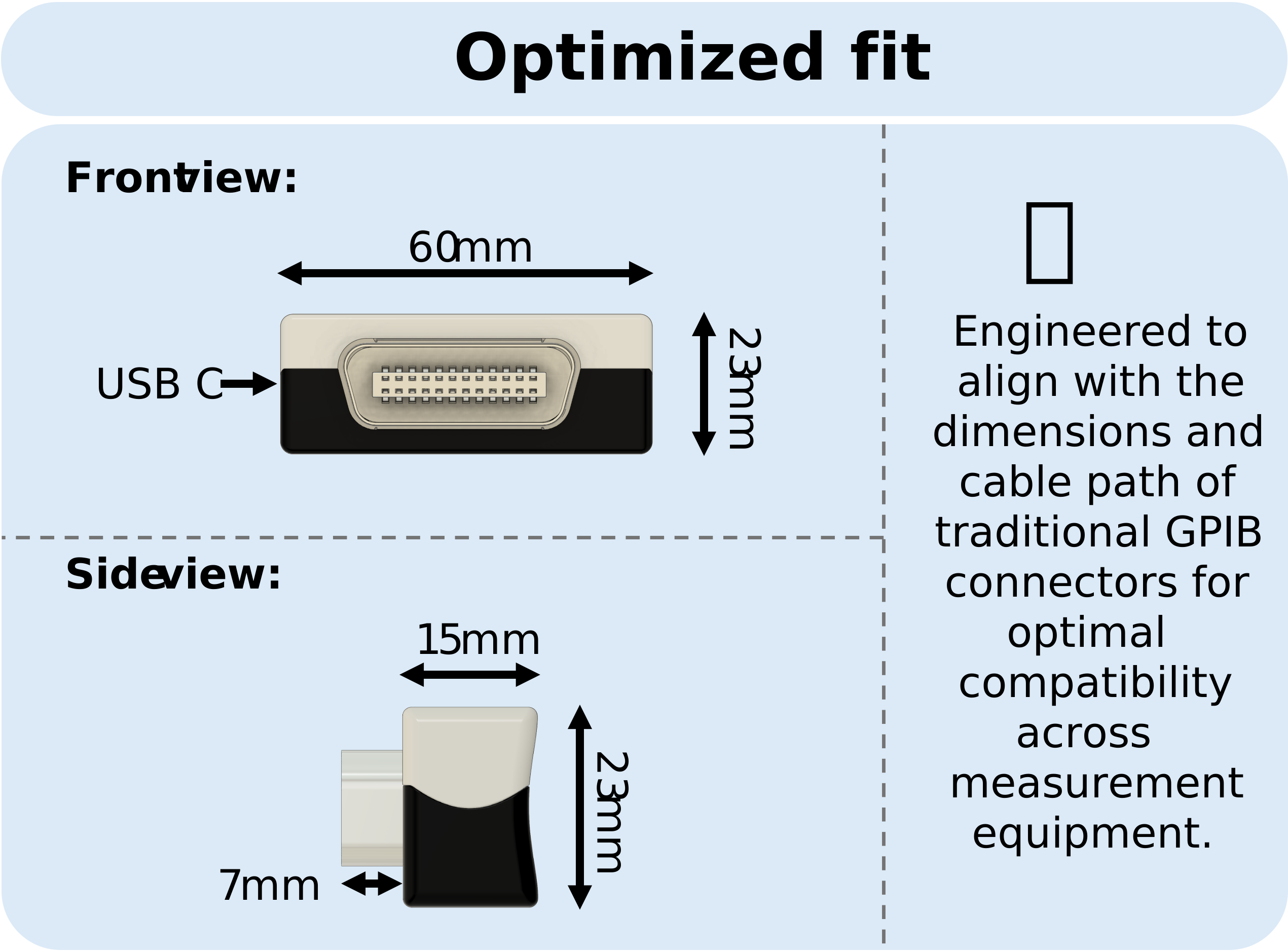
| UsbGpib Dimensions | 60mm x 23mm x 15mm (Width x Height x Depth) |
| Weight | 30g |
| Packaged Weight | 85g |
| Box Dimensions | Metric: ~120mm x 85mm x 33mm (Width x Height x Depth); Imperial: ~4.7" x 3.3" x 1.3" |
| Manufacturer | XyphroLabs |
| Series | XyphroLabs UsbGpib V2 |
| Country of Origin | Germany |
Environmental & Export Classifications
| RoHS Status | ROHS3 Compliant |
| Moisture Sensitivity Level (MSL) | 1 (unlimited) |
| REACH Status | Vendor Undefined |
| ECCN | EAR99 |
| HTSUS | 8471.80.100 |
Purchase USBGpib V2
Available now from trusted retailers in the USA
What Our Users Say
Real feedback from engineers and researchers using USBGpib V2 in their labs
On Setup & Ease of Use
"I just plugged it in and it worked immediately. I didn't have to fight with any drivers or complex software setups like I've had to do with other brands."
"It's a true 'plug and play' experience. I love that it doesn't clutter my COM ports - it only shows up when I actually have an instrument powered on and connected."
"The 'AutoID' feature is brilliant. It identifies my instruments by name automatically, which makes organizing my lab bench so much easier."
On Performance & Compatibility
"I've used this on everything from my old HP and Tektronix gear to my modern Rohde & Schwarz and Keithley units. It handles them all without a hitch."
"It integrates perfectly with my existing workflow. I'm running it with LabVIEW, MATLAB, and PyVISA, and it hasn't missed a beat."
"The speed is impressive when I pull screenshots from my scope, which is way faster than the serial-to-GPIB adapters I used to use."
"It just works flawlessly under Linux. I plugged it into my Ubuntu machine, and it was recognized immediately. Honestly, it's refreshing to have a device that doesn't require a weekend of troubleshooting just to see an instrument."
On Reliability vs. Alternatives
"I finally threw away my cheap clones. This adapter fixed all the stability issues I was having and is much more reliable for long-term data logging."
"It feels like a professional, high-quality tool. I really appreciate that it fits into the GPIB socket without blocking the ports next to it."
"It's refreshing to use a tool where I can actually see how it works. Knowing it's open-source gives me a lot of confidence that I'll be able to use it for years to come."
"I've replaced my expensive 'big brand' controllers with these. For the price and the open-source transparency, there's really no reason to buy the proprietary stuff anymore."
"The SRQ (Service Request) support actually works! Most DIY adapters skip that, but having proper interrupt-based signaling on Linux makes my automation scripts way more robust."
On Technical Support
"The support is fantastic. When I had a specific timing issue with an older instrument, I got a helpful, technical response right away."
"I really appreciate the responsiveness. It's clear that the person behind this understands both the hardware and the needs of a working lab."
Resources & Documentation
Everything you need to get started